JSON Toolkit is a powerful, free online JSON formatter designed for developers, data analysts, and anyone working with structured data. Whether you need to pretty print raw API responses, validate configuration files, or compare two JSON objects side by side, our JSON formatter tool handles it all directly in your browser with zero server uploads.
Why Choose Our JSON Formatter Online?
Unlike other online JSON formatters that send your data to external servers, JSON Toolkit processes everything locally. This means your sensitive API keys, configuration data, and private payloads never leave your machine. Our free JSON formatter provides instant formatting with no latency, no file size limits, and complete privacy — making it the best JSON formatter for professional development workflows.
Features of Our Pretty JSON Formatter
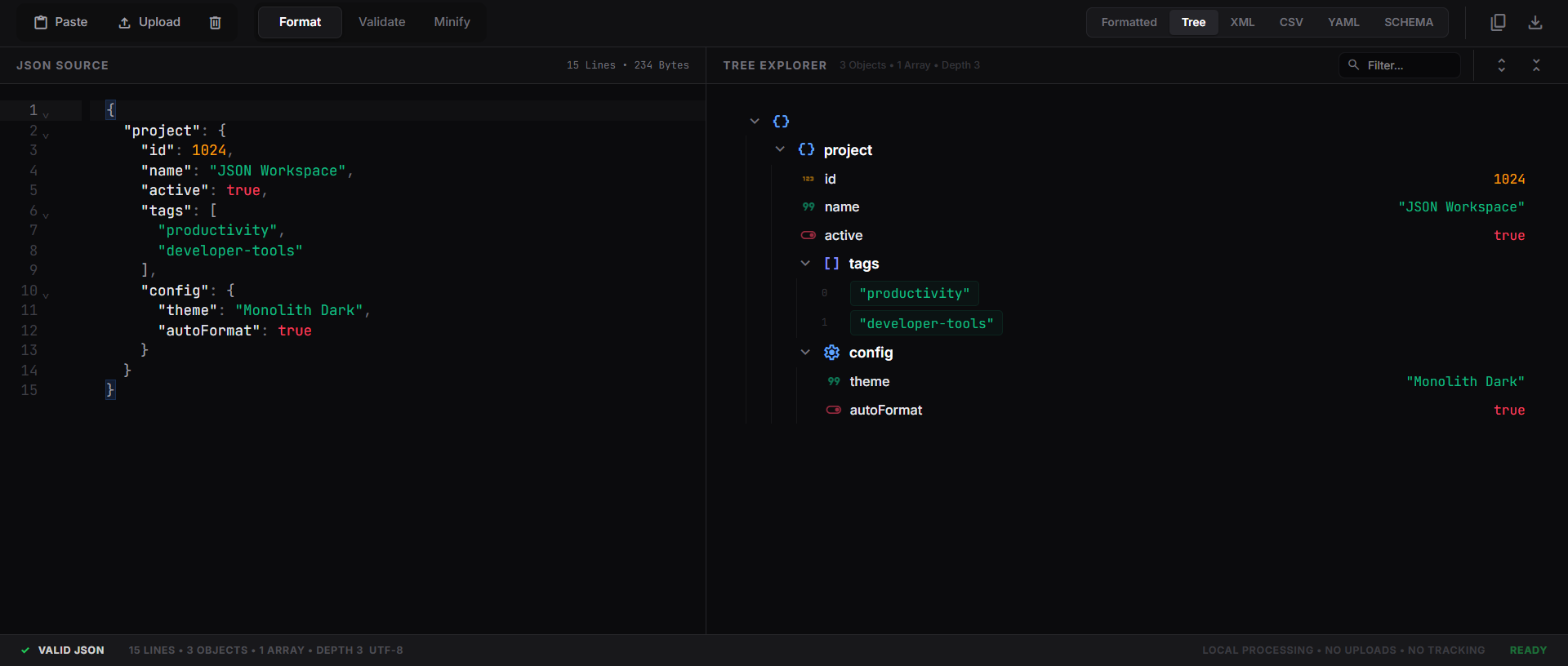
Our JSON formatter and validator combines multiple tools into one seamless workspace. The pretty JSON formatter transforms minified or unreadable JSON strings into beautifully indented, syntax-highlighted code with proper spacing. Keys are displayed in white, string values in green, numbers in amber, and booleans in red — making it easy to scan large JSON documents at a glance.
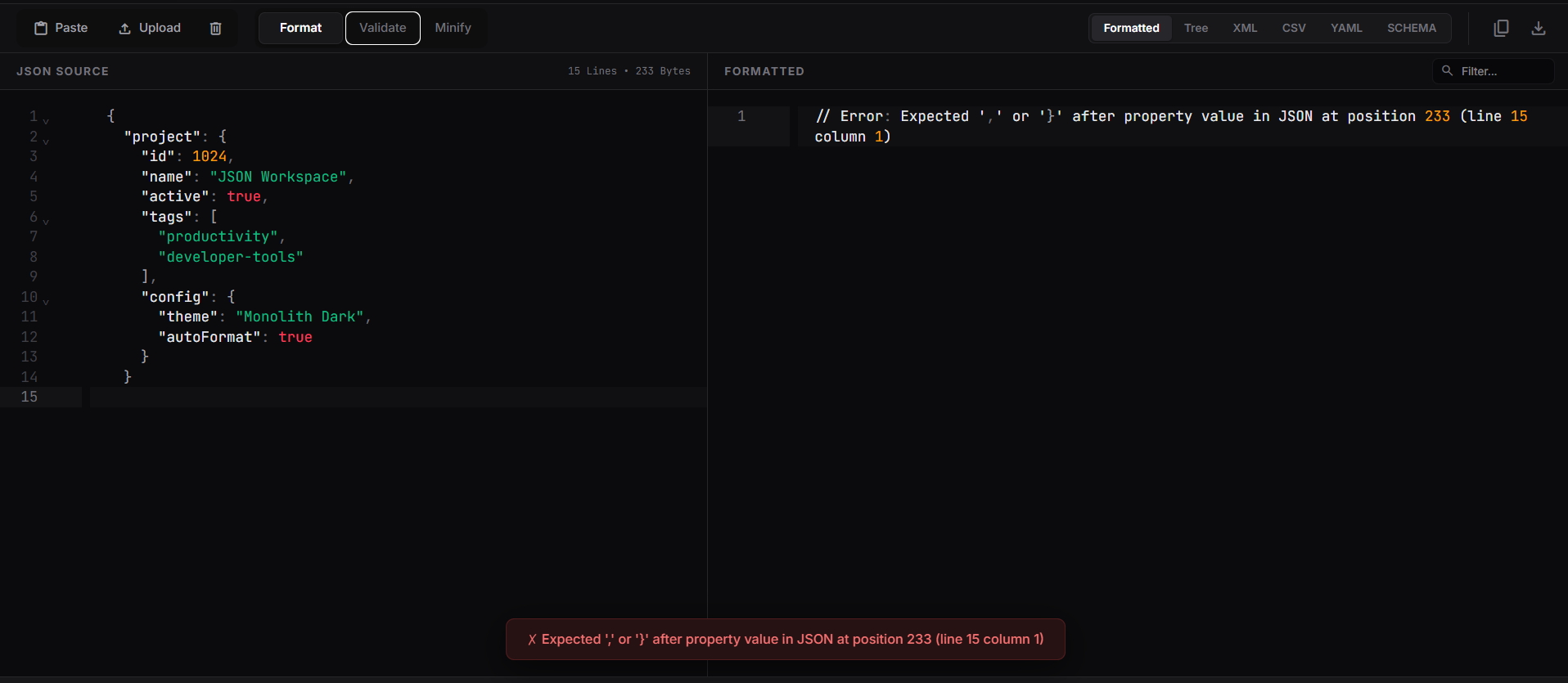
The built-in JSON validator checks your data against RFC 8259 compliance in real-time. As you type or paste JSON, the validator immediately identifies missing commas, unclosed brackets, incorrect types, and other syntax errors with precise line-number highlighting and human-readable error messages. This makes our tool a complete JSON formatter & validator solution.
Multiple Output Formats
Beyond basic formatting, our free online JSON formatter converts your data to multiple formats including XML, YAML, CSV, and JSON Schema. The tree explorer provides an interactive, collapsible view of nested JSON structures with type-specific icons, making it easy to navigate complex objects. You can filter nodes by key or value, copy JSON paths in dot notation, and expand or collapse entire sections with one click.
JSON Compare & Diff Analysis
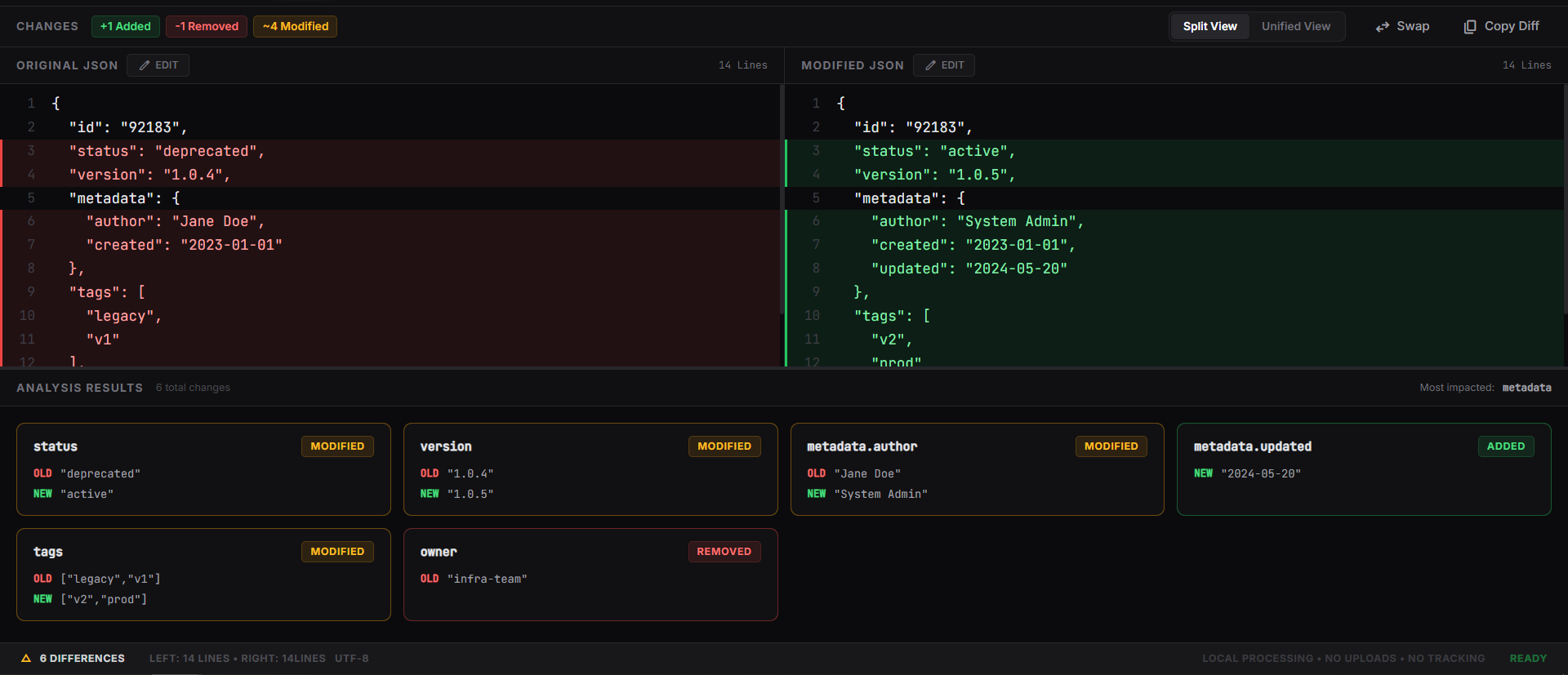
Need to compare two JSON files? Our side-by-side comparison tool highlights additions, removals, and modifications between two JSON documents. The semantic diff ignores key order and whitespace, focusing only on actual data changes. Each difference is displayed with color-coded highlighting — green for additions, red for removals, and amber for modifications — similar to what you'd find in a Notepad++ JSON formatter plugin but directly in your browser.
JSON Formatter Example
Using our JSON formatter online free tool is straightforward: paste your raw JSON into the editor on the left, and the formatted output appears instantly on the right. Click "Format" to pretty-print, "Minify" to compress for production, or "Validate" to check for errors. You can also upload JSON files directly or paste from your clipboard. The formatted result can be copied, downloaded, or exported to your preferred format.
Built for Performance
Our JSON formatter tool is optimized to handle large files exceeding 50MB with instant response times. The editor features CodeMirror 6 with full syntax highlighting, code folding, bracket matching, and search functionality — providing a Notepad++ JSON formatter experience directly in your web browser. Whether you're debugging API responses, editing configuration files, or analyzing data exports, JSON Toolkit is the free JSON formatter that professional developers trust.